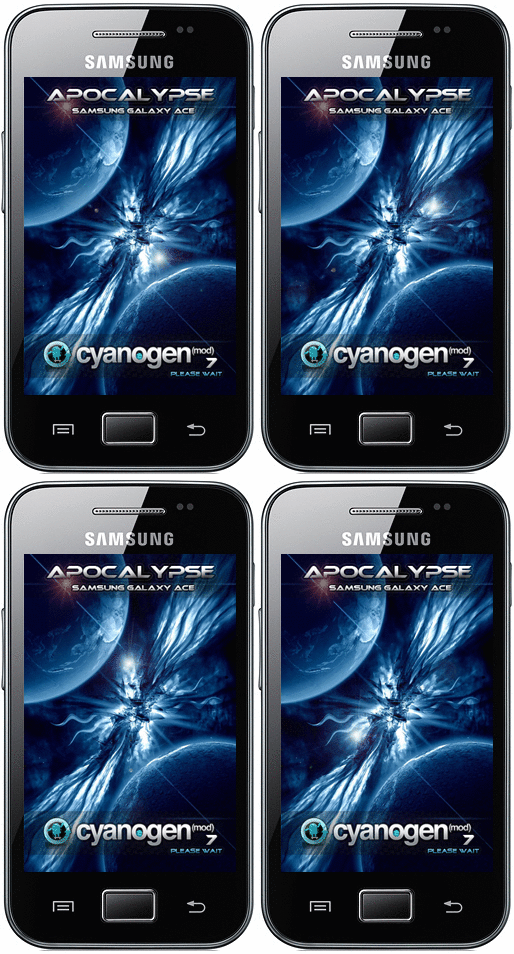
This Rom is based on CyanogenMod 9.0.4-RC1-MacławStudios


* Screenshot come from Beta 3

S3-Evolution-Beta-3-Ultimate(You need Ext3 or Ext4 partition on Sdcard)
S3-Evolution-Beta-3-Light
http://www.multiupload.nl/SSJSZJGFK1
S3-EVOLUTION-beta-2
S3-EVOLUTION-beta-1S3-Evolution-Beta-3-Light
http://www.multiupload.nl/SSJSZJGFK1
S3-EVOLUTION-beta-2
Features:
1)TouchwizUX from galaxy S3 (MDPI)
2)Based on CyanogenMod 9.0.4-RC1-MacławStudios
3)SGIII Real accu weather
4)Samsung galaxy s3 WallpaperChooser
5)SGSIII Icons
6)SGSIII Sounds
7)MusicHub Hub 3.0
8)SGSIII Live Wallpapers
9)S-voice Modded
10)Swype key
11)SG3 Clock widget
12)KiesCast
13)Application monitor widget
14)Memo
15)PicsPlay
16)Family Story
17)Polaris Office
18)You tube
19)Stock Video Player
20)Prima Wifi File
21)S suggest
22)Flipboard
23)Chat on
24)Samsung Apps
25)facebook Sns Account
26)Samsung Account Service
27)Postit
CHANGELOG
Beta 3 Ultimate:
- Merged on CyanogenMod 9.0.4-RC1-MacławStudios
- disable wallpaper scrolling (like stock Galaxy s3) & some tweak on TWUx launcher for beter performances
- LagFreeV3 ReRolled include (thank's to Slaid480's)
- AMARULLZ DATA TO SD-EXT(A2SDX) (i provide one without to) (thank's to amarullz for made it & sergeantgeneral for share)
- SRS Audio Effects (thank's to paul-xxx for made it & ImbaWind for share)
- fix Google voice shearch-
- Accuweather style on lock screen
- Fix missing Languages (korean chinese ect...)
- better battery
- fix the system not responding some time
- replace clock with TW clock
- SG3 Clock widget
- Samsung apps
- S3 other service
- Samsung Account Service (youcan download additional s3 app on samsung apps and make it work
 (like Music hub 3.0 , kies Cast , Family story , mystory)
- Facebook Sns Account
- stock video player
- youtube
- polaris office
- Quik Panel settings
- Cfw Manager
- Application monitor widget
- WiFi File Manager (allow you to connect to your sd card with web browser on your Pc)
- New real S3 bootanimation
- Music Hub Hd 3.0
- Family Story
- Kies Cast
- PicsPlay (Replace the S3 photo editor work great but need to adjust Dpi comming next release)
- Postit
- ...
Beta 3 Light:
- Merged on CyanogenMod 9.0.4-RC1-MacławStudios
- disable wallpaper scrolling (like stock Galaxy s3) & some tweak on TWUx launcher for beter performances
- LagFreeV3 ReRolled include (thank's to Slaid480's)
- SRS Audio Effects (thank's to paul-xxx for made it & ImbaWind for share)
- fix Google voice shearch-
- Accuweather style on lock screen
- Fix missing Languages (korean chinese ect...)
- better battery
- fix the system not responding some time
- replace clock with TW clock
- SG3 Clock widget
- S3 other service
- Samsung Account Service (youcan download additional s3 app on samsung apps and make it work (like Music hub 3.0 , kies Cast , Family story , mystory)
- Facebook Sns Account
- stock video player
- youtube
- polaris office
- Quik Panel settings
- Cfw Manager
- Application monitor widget
- WiFi File Manager (allow you to connect to your sd card with web browser on your Pc)
- New real S3 bootanimation
- ...
How To Install:
Before install S3-Evolution-Beta3 :
I recommand Do a full wipe Before install for better Experience

Installation of S3-Evolution-Beta-3-Ultimate you need Ext3 or Ext4 Partition
Here is a tutorilal for Partition Your Sd-Card
Thank's to eraser0 for this
~~~~~~~~~~~~~~~~~~~~~~~~~~~~~~~~~~~~~~~~~~~~~~~~~
C. Partition your sd-card:
Simplest way is to use "MiniTool Partition Wizard Home Edition" from http://www.partitionwizard.com/download.html
This tool is compatible with Windows 2000/XP/Vista & Windows 7
requirements: USB SD Card reader.
pull SD card from phone, insert into USB SD Card reader,you can do it with your usb cable mount Sd-crad. Windows should report new drive and content of the drive should be visible.
• step 1: delete old partitions on SD card
Note: this partition manager QUEUES the operations. So nothing is deleted and changed UNTIL you click "APPLY" and then confirm by clicking "OK".
WARNING!
Make sure you are deleting partition on SD card! (not your hard drive for example)
This step deletes everything on SD card, so backup files first!
Dont be afraid, just read everything and think twice before selecting correct drive.
Do you see three gray icons on the bottom? Under each of them the capacity of each drive is listed, and SD CARD has slightly different icon.
Hard drives on the screenshot have 465.8GB and 74.5GB, and on the bottom, the SD card, with 3.8GB capacity.

• step 2: create FAT or FAT32 partition “ note that this partition is for storing your media, etc..”
select "Create As": PRIMARY
Select "File System:" FAT when you have 2GB or smaller card.
Select "File System:" FAT32 when you have 4GB or greater card.

• step 3: select the 2nd partition and select "Create As": PRIMARY
NOTE:
Stock roms with stock kernel will support fat32
Stock roms with custom kernels “ like CF-Root” may support both fat32/ext4 “check their threads”
Cm7/cm9 roms will support ext4
Here Is a NOTE:
For a wired reason, in both cm7/cm9 roms if formatted your 2nd partition with ext4 format, link2sd wont create mount script, unless you have selected ext3 “although the format was converted to ext4”
• step 4: finish
finally, click "apply" button on top left corner.
partitions will be created and card will be formatted.
Reattach your sd card to your phone and turn it on. (you can also do it With usb Connection )
Chose your Vertion Of Beta3 , Light or Ultimate copy it to sd-card
Reboot your phone to ClockWorkMod
Flash ClockWorkMod 5:
http://forum.xda-developers.com/atta...=743333&d=1318...
Install from sd-card
the Phone Reboot Automaticaly when installation Done
if It stay on blank screen remove the Baterry an turn on again

For better Performance :
go to settings , performance, processor, cpu governor select SmartassV2
don't forget to set on boot ^^
you can disable Surface Dithering
to have better Ui bar go to settings system notification drawler Widget buttons then select one more Toggle you can hide indicator to
enjoy
Tips
first time boot you can't mount storage reboot and it work well
connect your phone to charger, let it fully charge and then reboot it. after reboot deep sleep should be working properly
S3 app you can install like normal Apk :
S-voice
1- install S-voice
2- go to settings , Language&imput ,voice recogniser , selsect Samsung powered by vlingo
3- go to settings , Language&imput , text-to-speech output and select Pico TTS
4- now s-voice work perfectly on your ace
thanks to:
Macław
marcin1147
Squadzone
tom3q
bagnz0r
Mardon
ImbaWind
Slaid480's
amarullz
paul-xxx
sergeantgeneral
rani9990
eraser0